
1.Introduction
The Regional Conditions Viewer provides the event details of the selected area as per your requirement on the Map.
The application includes a list of active events/incidents occurring and the set of filters to view the specific type of events. If an event is selected, then the selected event is seen on the map providing the real-time Conditions in that area. The application helps to provide information related to traffic, airport parking Conditions, weather Conditions, any incident reported on the highway and its impact on the places where people commute, delay due to congestion, Detour information, construction events, special events details, etc. You can also get the information related to Weather, Evacuation, and Truck on the Map as well as CCTV, VMS, and Parking Information.
2.Search the Event Details
Figure 3: Event Details List
The left side of the application includes the Event Details, click on anyone of the event detail from the list, to view the event on the Map as shown in the figure below: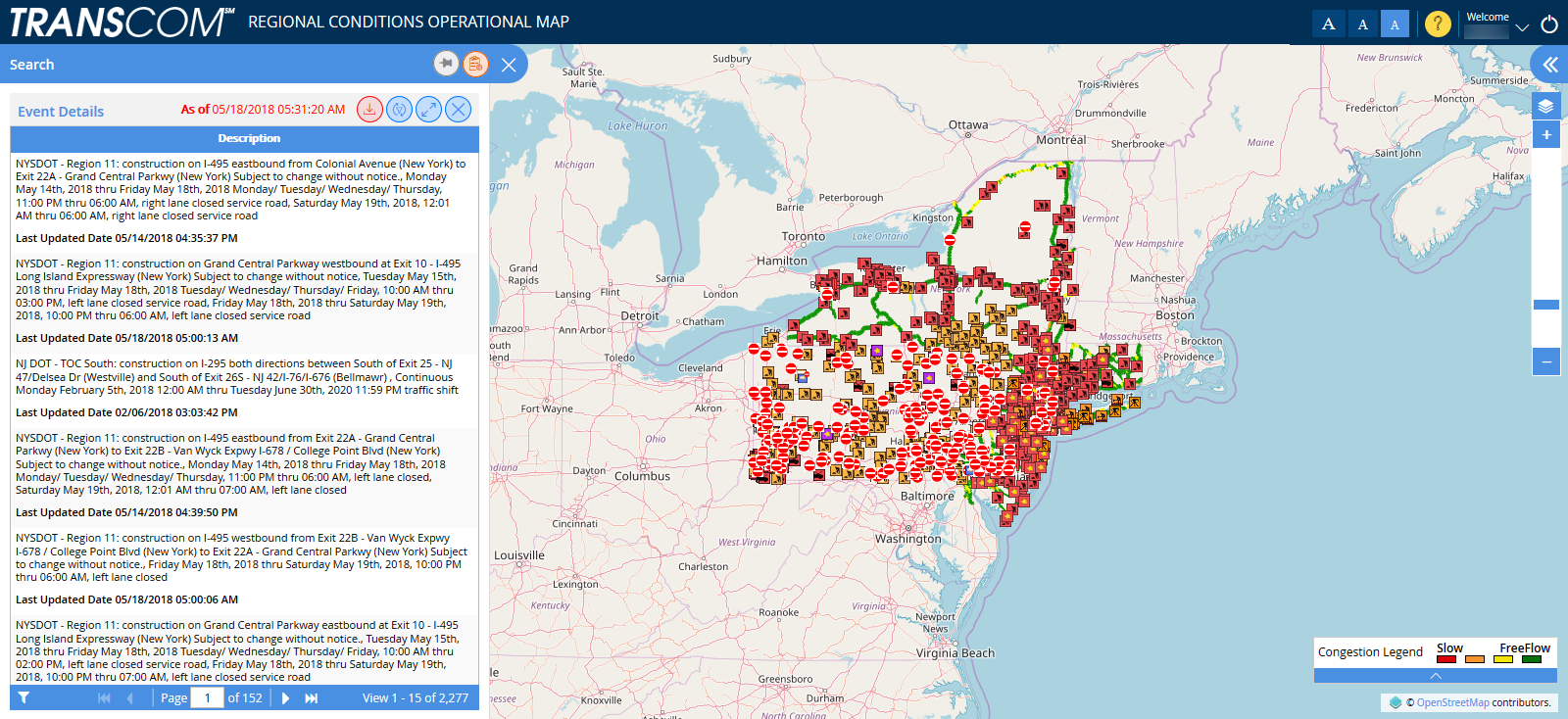
2.1.Search the Event Details
As shown in the above figure, as per the selected event from the list, the event icon will be shown on the map.
Click on the icon to get more event details, following figure will appear:As shown in the above figure, as per the selected event from the list, the event icon will be shown on the map.
Click on the icon to get more event details, following figure will appear:As shown in the above figure, as per the selected event from the list, the event icon will be shown on the map.
Click on the icon to get more event details, following figure will appear:
Help Guide Powered by Documentor 

 Was this helpful?